Own your cockpit: the coding terminal is product surface now
Themes are not enough. Agentic work needs profiles, widgets, custom pages, package-shaped workflows, and a terminal surface that matches how the team actually thinks.
Editorial cover
A story-specific system diagram. Product evidence, when present, appears beside the claims it supports.
Most terminal customization stops at colors, prompt chrome, and a logo. That was fine when the terminal was mostly a command launcher. It is not enough when the terminal is hosting agents, permission gates, model roles, background loops, session state, and package-driven workflows.
The coding surface is now part of the product. If a team spends all day inside an AI terminal, that terminal should not feel like a generic rental car. It should feel like their cockpit.
Not a skin
A skin changes paint. A cockpit changes what is visible, what is one keystroke away, what gets hidden until needed, and what the team considers important. MendCode profiles are not just about making a terminal prettier. They are about deciding what kind of work is happening.
Attention is a product decision
The most important part of a coding surface is not what it can render. It is what it makes the user notice. An agent terminal can surface pending permissions, child sessions, loop state, memory proposals, active packages, model roles, usage pressure, and local git state. Showing all of that all the time is lazy.
A real product chooses. During a release, dirty files, changelog state, tests, and deployment risk should become louder. During a writing session, the terminal should get out of the way. During a security review, permission posture and blast radius should be visible. Same harness, different attention map.
Attention maps by workflow
Release
Branch state, changelog, tests, build, version gates, and push readiness deserve the surface.
Debugging
Reproduction steps, failing command, logs, touched files, and next hypothesis matter most.
Writing
Outline, voice, references, screenshots, and preview route should dominate the surface.
Security
Permission mode, risky commands, secrets exposure, and review evidence should be impossible to miss.
Profiles beat bloat
Feature bloat happens when every capability is always visible. Agent tools make that worse because the surface can expose models, agents, permissions, memory, packages, sessions, browser checks, usage, and background work at the same time. That is not power. That is visual debt.
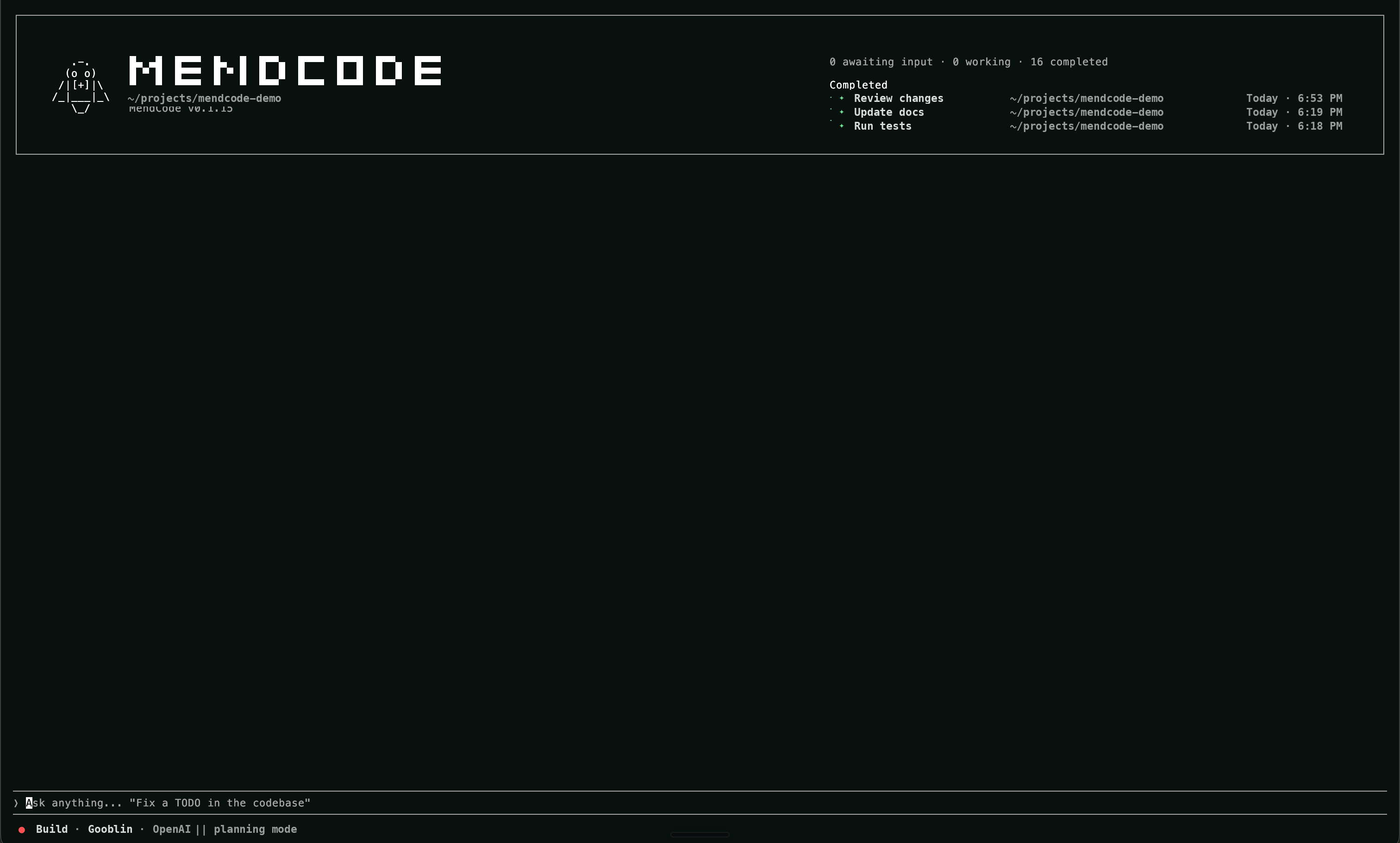
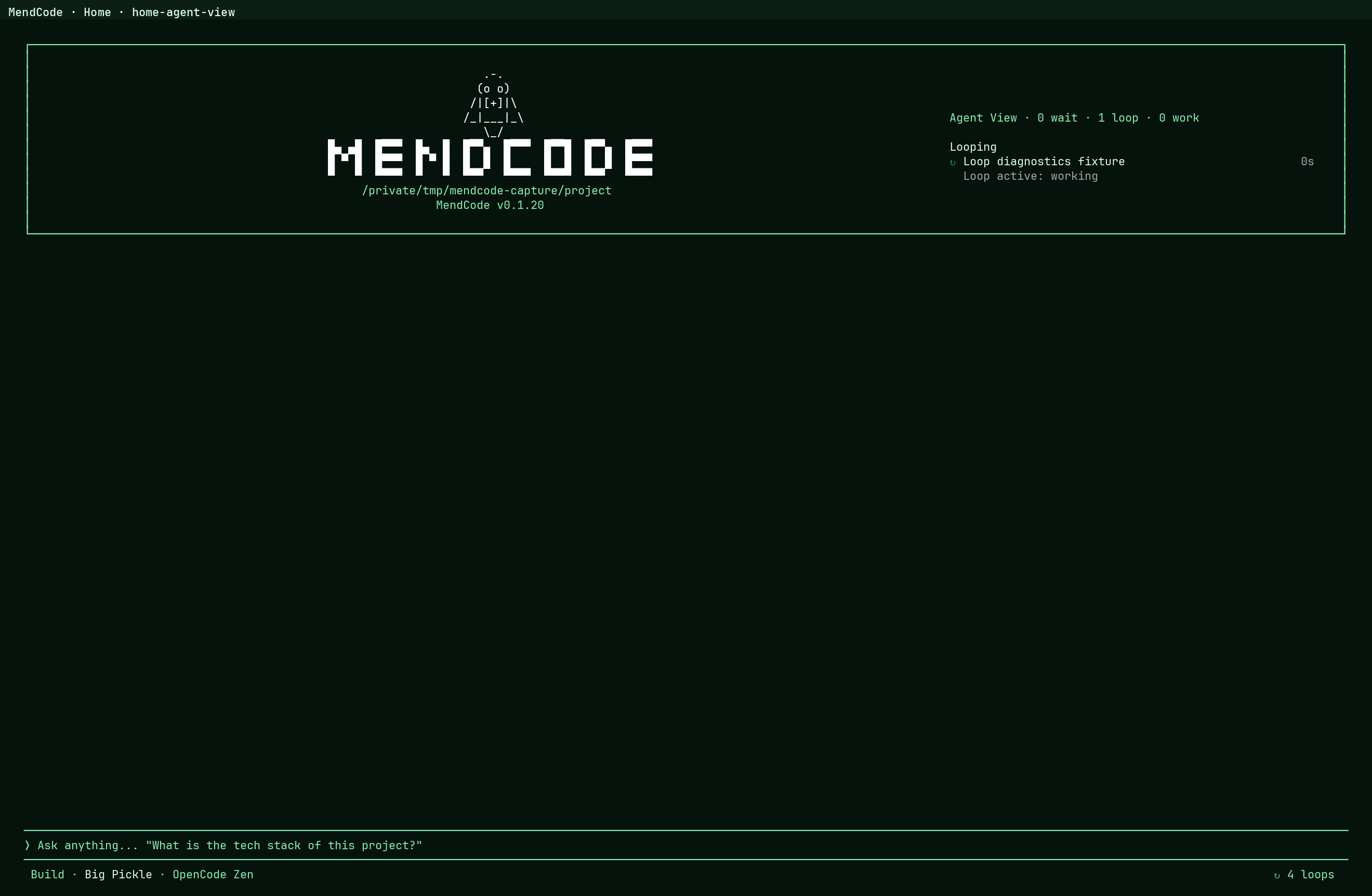
MendCode’s answer on the UI side is the TUI profile plus plugins. The documented profile controls stable surface choices like prompt chrome, input marker, bottom status, home identity, Agent View presentation, widgets, theme, and density. Plugins cover the dynamic layer: status entries, slots, command palette entries, slash commands, routes, dialogs, themes, and editor widgets.
Profiles are the antidote to feature soup
| Layer | Verified surface | Why it matters |
|---|---|---|
| TUI profile | Prompt chrome, marker, status row, home identity, Agent View, theme, density | Team defaults live in configuration instead of runtime forks |
| Widgets and slots | Prompt-side context, footer entries, side panels, compact session widgets | Signals appear next to the work instead of in another dashboard |
| Plugins | Command palette entries, slash commands, dialogs, routes, themes, editor widgets | Dynamic UI can ship without patching protected runtime internals |
Widgets are workflow
Widgets are not decorations. A widget can sit above the editor, below the editor, or in the session bottom dock. That means a package or profile can put the exact signal next to the exact work: budget, focus state, review status, notes, subagents, or team-specific telemetry.
setWidget("release-gate", renderReleaseGate, {
  placement: "sessionBottomDock",
  order: 20,
  trust: "trusted"
})
The point is not to create an app store of gimmicks. The point is to let the workflow surface become programmable without losing trust boundaries.
Trust before extensibility
Extensibility without trust is just a prettier attack surface. If packages can ship widgets and scripts, the runtime has to know where they can render, what capability they request, and whether the source is trusted. Otherwise the customization layer becomes the easiest place to sneak in unsafe behavior.
This is why the widget API is intentionally boring: known placements, explicit IDs, ordering, and trust metadata. Boring is good here. You want the user to understand that a release widget is a release widget, not a random blob of code pretending to be UI.
Customization needs boundaries
| Surface | Useful customization | Boundary |
|---|---|---|
| Above editor | Context hints, active package, mode-specific guidance | Should not hijack input or hide prompts |
| Below editor | Command previews, checklists, preview links | Should stay tied to current work |
| Bottom dock | Notes, subagents, risk, release gates | Should expose trust and source |
Custom pages
Some workflow deserves more than a widget. A team may want a release page, a project health page, a memory review page, a local package manager, or a dashboard that only makes sense inside their repo. That is the direction MendCode is built for: not one home screen to rule every team, but surfaces that can be shaped.
What belongs in the cockpit
Team pages
Release flow, QA gates, local infra checks, docs review, migration plans, or customer support triage.
Runtime widgets
Small signals placed exactly where the user makes decisions.
Profiles
A complete surface preset for a product, team, repo, or personal operating style.
Trust tiers
Customization is only useful if the user can understand what is allowed to run.
Packages shape the cockpit
Packages should not be limited to prompts. A package can bring profiles, skills, prompts, plugins, themes, context, MCP, worktree policy, and extensions. That is how a workflow becomes portable instead of pasted into a README nobody updates.
{
  "version": 0,
  "id": "team.release-flow",
  "artifacts": {
    "skills": [".mendcode/skills/release-flow/SKILL.md"],
    "prompts": [".mendcode/prompts/pr-review.md"],
    "extensions": [".mendcode/widgets/release-gate.tsx"],
    "themes": [".mendcode/themes/team.json"]
  }
}
Examples that matter
The test for customization is not whether someone can change the logo. The test is whether a team can encode a workflow that would otherwise live in five tabs and three tribal habits. A good cockpit makes the next correct action obvious because the surface knows the task.
Custom surfaces worth building
- A release page that shows version, changelog, build status, dirty files, and deployment checklist.
- A memory review page that separates project facts from user preferences and temporary session notes.
- A package authoring page that shows artifacts, trust posture, missing metadata, and files that should never ship.
- A loop monitor that shows objective, wakeup mode, stop conditions, permission mode, and latest evidence.
These are not generic dashboard ideas. They are surfaces that collapse real work. The cockpit is successful when it removes context switching without hiding control.
Own the surface
The future is not one perfect AI coding UI. The future is a harness stable enough to trust and flexible enough to become the user’s own environment. Teams should not have to choose between a calm tool and a powerful one. They should shape the surface around the job in front of them.
The terminal is no longer just where commands run. It is where the agent’s product surface lives.